
Guide
Collect wedding guest photos
with a QR code
One printable wedding guest photo QR code. Guests upload from any phone. You get every candid in one gallery, not scattered across WhatsApp and camera rolls.
Snapdrop is the event photography tool behind that QR: guests scan once and send photos or videos into a shared gallery for the couple or photographer, no app, no guest signup.

The problem
Guest photos get lost in the chat
After the vows, phones come out. Friends film toasts, cousins snap candids, the bridal party fills a shared album that never quite finishes. Weeks later you're still asking for files in WhatsApp, compressed, incomplete, and hard to hand off to the photographer.
A wedding guest photo QR code fixes that at the table: one scan, one upload page, one place everything lands.
How it works
From table tent to full gallery
Snapdrop turns one QR into a guest upload gallery for the wedding day.
- 01
Print the QR
Create your wedding event in Snapdrop and download a print-ready tent card. Place cards on tables, at the bar, or near the guestbook.
- 02
Guests scan & upload
Anyone with a phone opens the camera, scans the QR, and uploads photos or videos, no app, no account, no WhatsApp group.
- 03
One gallery for you
Every upload lands in a single gallery you control. Review on the day, run a live slideshow, or download a ZIP when the party ends.
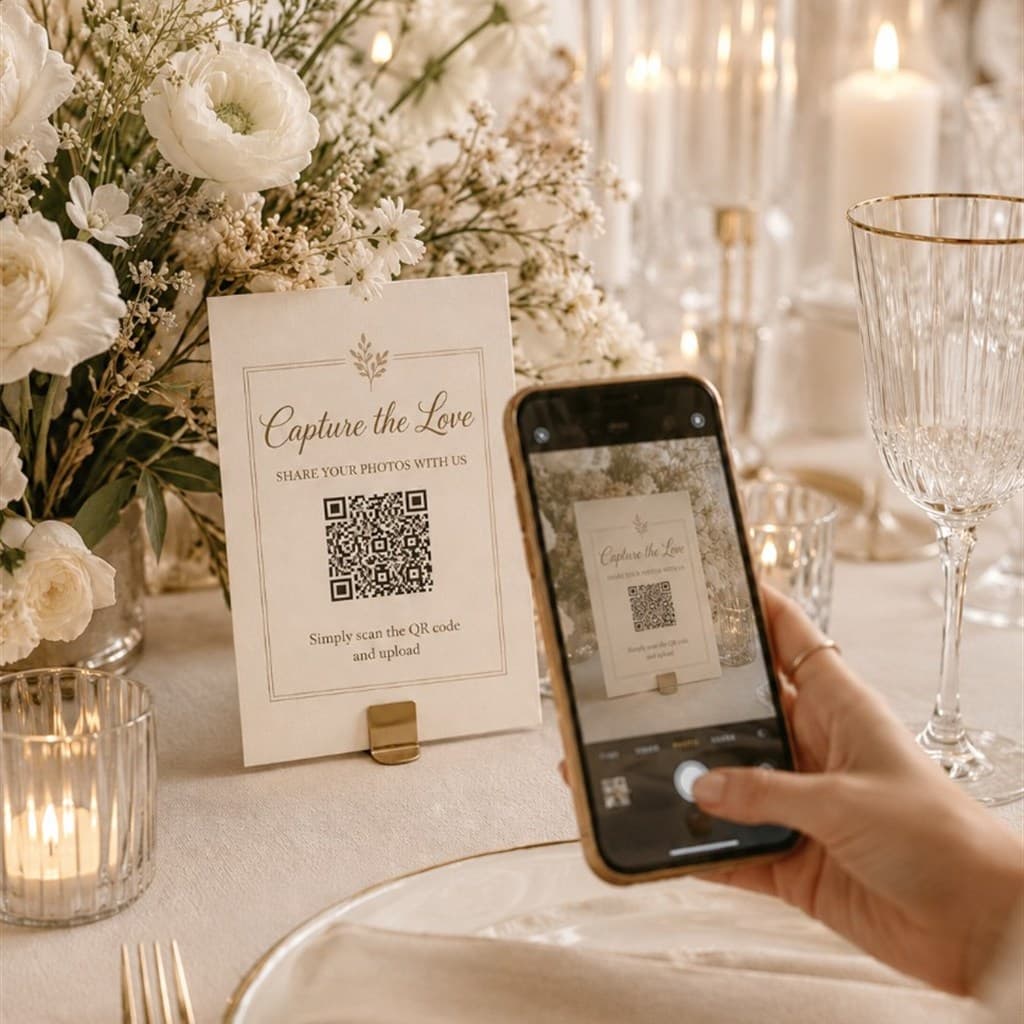
Put the QR where guests already look
Print-ready 5×7 tent cards carry the couple's names and a single event QR. Guests use the stock camera app, no instructions sheet required. Photographers can brand the card with their studio; couples get a clean, shared album without managing a group chat.
Questions about setup? Contact us.
Why Snapdrop
Built for the people running the day
Whether you're the couple, a planner, or the photographer, Snapdrop gives you a reliable guest upload flow, not another social app.
- One wedding guest photo QR code per event, no chasing group chats
- Original-quality uploads, not compressed chat attachments
- Photographer- or couple-owned gallery with clear retention
- Optional live slideshow so the room sees guest shots in real time

FAQ
Wedding guest photo QR questions
What is a wedding guest photo QR code?
It is a printable code on a table tent or flyer. Guests scan it with their phone camera, open a simple upload page, and send photos or videos into one Snapdrop gallery for that wedding, no app and no guest account.
Do wedding guests need WhatsApp or an app?
No. Guests use the stock camera app to scan the QR, then upload in the browser. Nothing is shared through WhatsApp or another chat app, so media stays original quality instead of compressed attachments.
Who can see the guest uploads, the couple or the photographer?
Whoever creates the Snapdrop event owns the gallery. Photographers and hosts set up the event, review uploads in the dashboard, run an optional live slideshow, and download a ZIP when ready.
Can guests upload videos as well as photos?
Yes on Plus, Premium, and Studio. The Free package is photos only. Check current limits and retention on the pricing page.
How is this different from a shared album or group chat?
One QR per wedding points everyone to the same upload gallery. You are not chasing incomplete WhatsApp threads or managing a social album. Media lands in a photographer- or host-owned gallery with clear retention.
Ready for your next wedding?
Set up a wedding guest photo QR code in about a minute. Free for smaller events. See pricing when you need more uploads or longer retention.